
Free Fire Advance Server APK
Download Free Fire Advance Server APK for Android
Download the Free Fire Advance Server APK for Android and access the testing server after completing registration and receiving an activation code. Use the download button below to get the APK file or view the installation instructions before continuing.
🤖 Android APK
🔑 Activation Code Required
📱 Advance Server Access
Early access testing
Android APK file
Registration required
Testing-cycle access
How to Install Free Fire OB55 Advance Server
Installing the FF OB55 Advance Server is pretty simple when you follow a few quick steps as this is the place where players test new update features early like the dark Eclipse Rise mega event, intergalactic cosmetics, upcoming weapon additions, balance changes, and more.
Quick Steps to Install OB55 Advance Server
- Register: Go to the official Free Fire Advance Server site and log in with your Facebook or Google account that is linked to your game profile.
- Get your activation code: Add your active email on the page. If your account gets approved, you will see a unique activation code. Copy it because you need this code to enter the Advance Server.
- Download the APK: Tap the Download APK button and the file which is approximately around 900MB so make sure your phone is on WiFi before you start.
- Install the file: Open the APK. If your phone stops it, go to settings and allow “Install from unknown sources.”
- Enter the game: Open the app and log in as a Guest. A box will appear. Paste your activation code and you can start testing the latest update features.
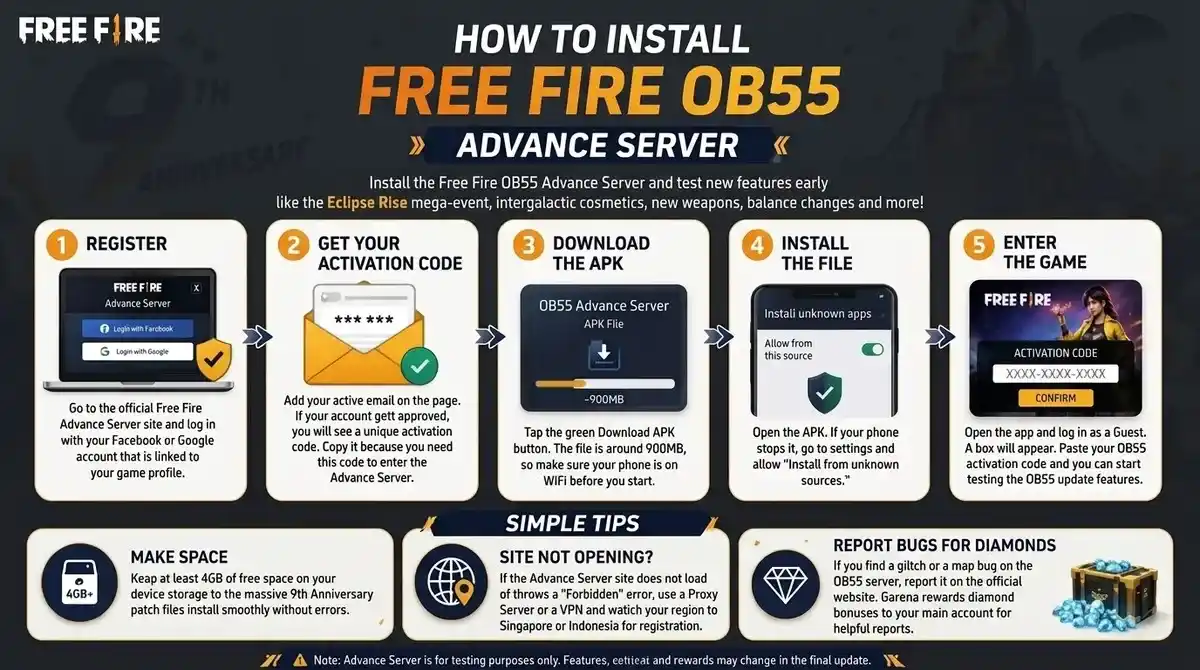
Simple Tips
- Make space: Keep at least 4GB of free space on your device storage so the massive 9th Anniversary patch files install smoothly without errors.
- Site not opening: If you are in a place where the Advance Server site does not load or throws a “Forbidden” error, use a Proxy Server or a VPN and switch your region to Singapore or Indonesia just for the registration.
- Report bugs for diamonds: If you find a glitch or a map bug in the latest server then report it on the official website. Garena rewards diamond bonuses to your main account for helpful reports.