
Free Fire Advance Server OB56: APK Download, Registration & Activation Guide
The Free Fire Advance Server, also known as the FF Advance Server, is a separate Android testing build that lets selected players try upcoming features before they arrive in the main game. Garena uses it to test characters, weapons, balance changes and gameplay ideas. Some features may change before the global release. This guide covers the OB56 APK, including the download process, registration and activation code requirements. Downloading the APK does not guarantee access. You need to register during an open testing cycle and have your account selected to participate.




Free Fire Advance Server APK Information
| Information | Details |
|---|---|
| Game | Free Fire |
| Test Client | FF Advance Server |
| Build Version | v68.56.0 |
| Build Covered | OB56 |
| Platform | Android |
| APK Size | Around 900 MB |
| Price | Free |
| Registration | Required during an open testing cycle |
| Activation Code | May be required for access |
| Main Purpose | Testing upcoming Free Fire features before release |
| Progress | Progress in the test build may be temporary |
| Developer | Garena |
Download Free Fire Advance Server APK
The Free Fire Advance Server APK installs the Android testing client separately from the regular game. Selected players use it to try features before they reach the public version.
For your FF Advance Server download, choose the APK offered for the testing cycle you registered for. An older build may not work with a later test.
Before installing, check whether registration is open and whether your account has testing access.
Installation puts the client on your phone. Registration and account selection determine whether you can join the test.
Before Downloading the APK
Check your device and registration details:
- You have a compatible Android phone
- Your Free Fire account is active
- You can sign in using a supported login method
- You registered for the testing cycle you want to join
- Your phone has space for the APK and additional resources
- Your internet connection is stable
- You have account approval or an activation code if required
The OB56 APK covered in this guide is around 900 MB. Additional game resources can require more storage, so leave several gigabytes free rather than reserving space only for the installation file.
How to Install Free Fire Advance Server
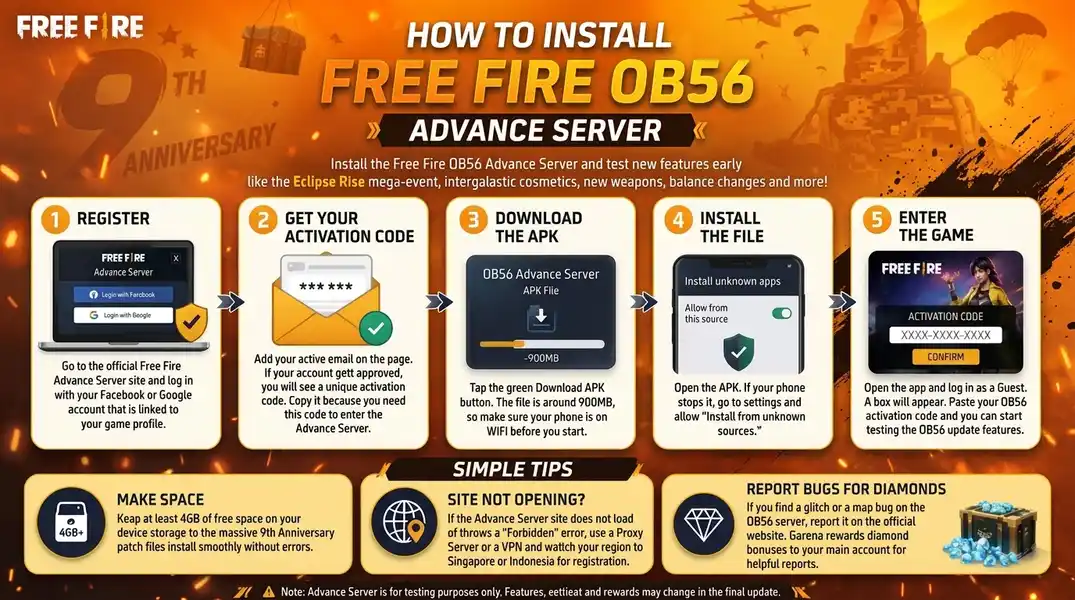
Complete registration, check your access status and download the APK for the relevant testing cycle before installing it.
Follow the account and activation instructions shown on the registration portal.
-
Complete FF Advance Server Registration
Open the official Free Fire Advance Server website and sign in using a supported account connected to Free Fire.
When registration is open, complete the requested information and submit your application.
-
Check Your Testing Access
Submitting your registration does not guarantee that your account has been selected.
Check the portal for your access status and any activation instructions.
-
Download the FF Advance Server APK
When the download becomes available, get the APK offered for that testing cycle.
Check the build version before downloading so that it matches the test you want to join.
Allow the download to finish before opening the installation file.
-
Allow APK Installation
Android may ask you to allow the browser or file manager to install an APK downloaded outside the app store.
Enable installation for the source you used, install the APK and turn that permission off afterward if you no longer need it.
-
Open the Client and Complete Activation
Launch the app and follow the FF Advance Server login instructions using the account associated with your registration.
If prompted, enter the activation code issued for your testing access.
You can join when your access is accepted and the testing window is open.
Free Fire Advance Server Registration
Registration lets you apply for a place in an upcoming test.
Complete FF Advance Server registration during an open registration period. Garena limits participation, so submitting an application does not reserve a place.
Use a supported account connected to Free Fire and follow the requirements shown for the testing cycle you want to join.
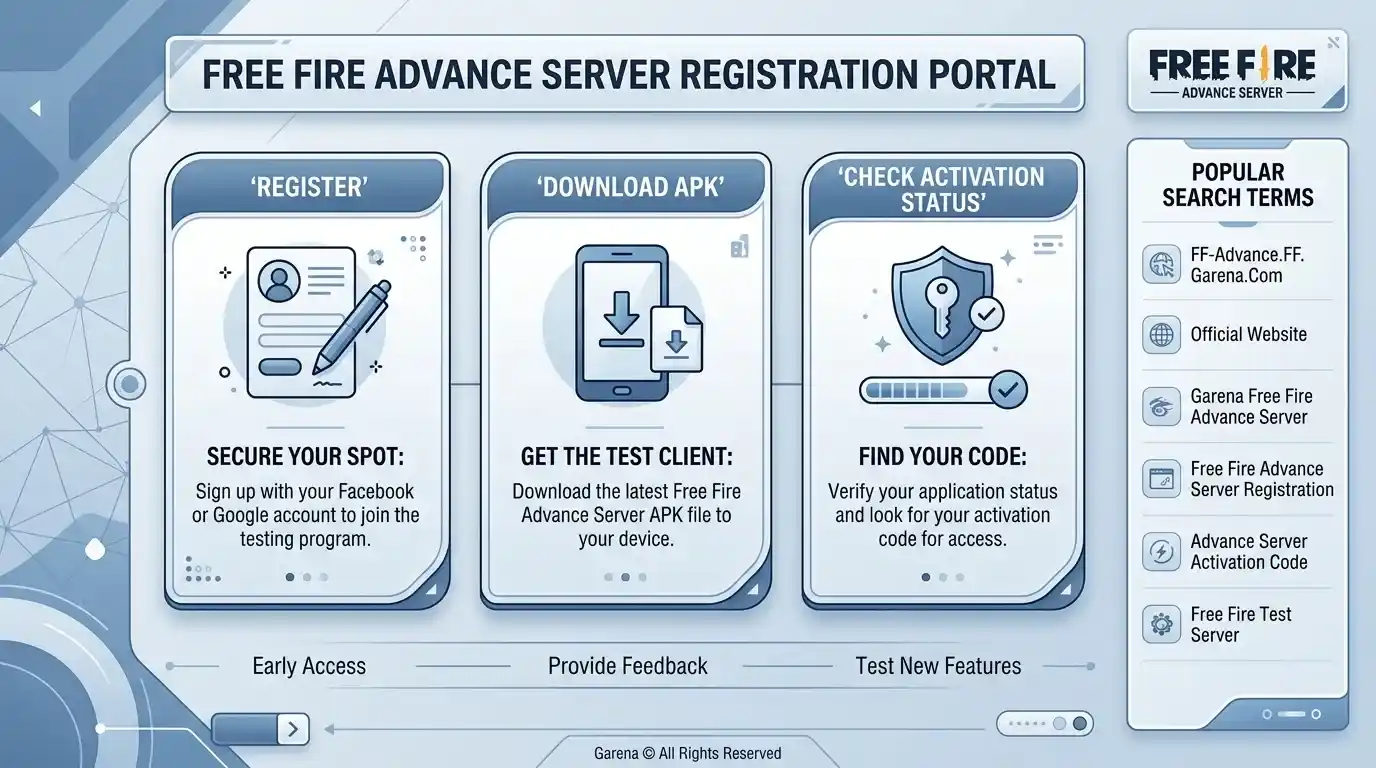
How to Register
- Open Garena's official Advance Server registration portal.
- Sign in with a supported account linked to Free Fire.
- Complete the requested registration details.
- Submit your application while registration is open.
- Return to the portal to check your access status.
- If selected, download the available APK and follow the activation instructions.
Check your details before submitting the application.
Follow the instructions for that testing cycle rather than relying on registration steps from an older release.
Registration Does Not Guarantee Selection
A registration confirmation shows that your application was submitted.
Your testing access still depends on selection and the participation limits for that cycle.
Installing the APK cannot bypass an access restriction if your application has not been approved.
Free Fire Advance Server Official Website and Login
The official Free Fire Advance Server website is Garena's platform for registration and testing access. Use the supported sign-in options shown there to manage your application.
Depending on the testing cycle, the portal provides information about:
- Registration availability
- Supported account login
- Testing access status
- APK availability
- Activation instructions
- Server dates and updates
FF Advance Server Login and Access Status
For FF Advance Server login, use the account associated with your application. Check the instructions attached to that account before downloading or activating the client.
When reviewing your application, check:
- Whether registration is still open
- Whether your application has testing access
- Which APK is available for the test
- Whether an activation code is required
- When the testing window opens and closes
Free Fire Advance Server Activation Code
An activation code is an access key for the testing client, separate from the APK download.
Registration submits your application for testing.
The APK installs the client on your Android phone.
Approval determines whether you can participate.
An activation code, when required, completes access for an eligible tester.
Finding a Free Fire Advance Server code online does not guarantee that it is valid for your testing access.
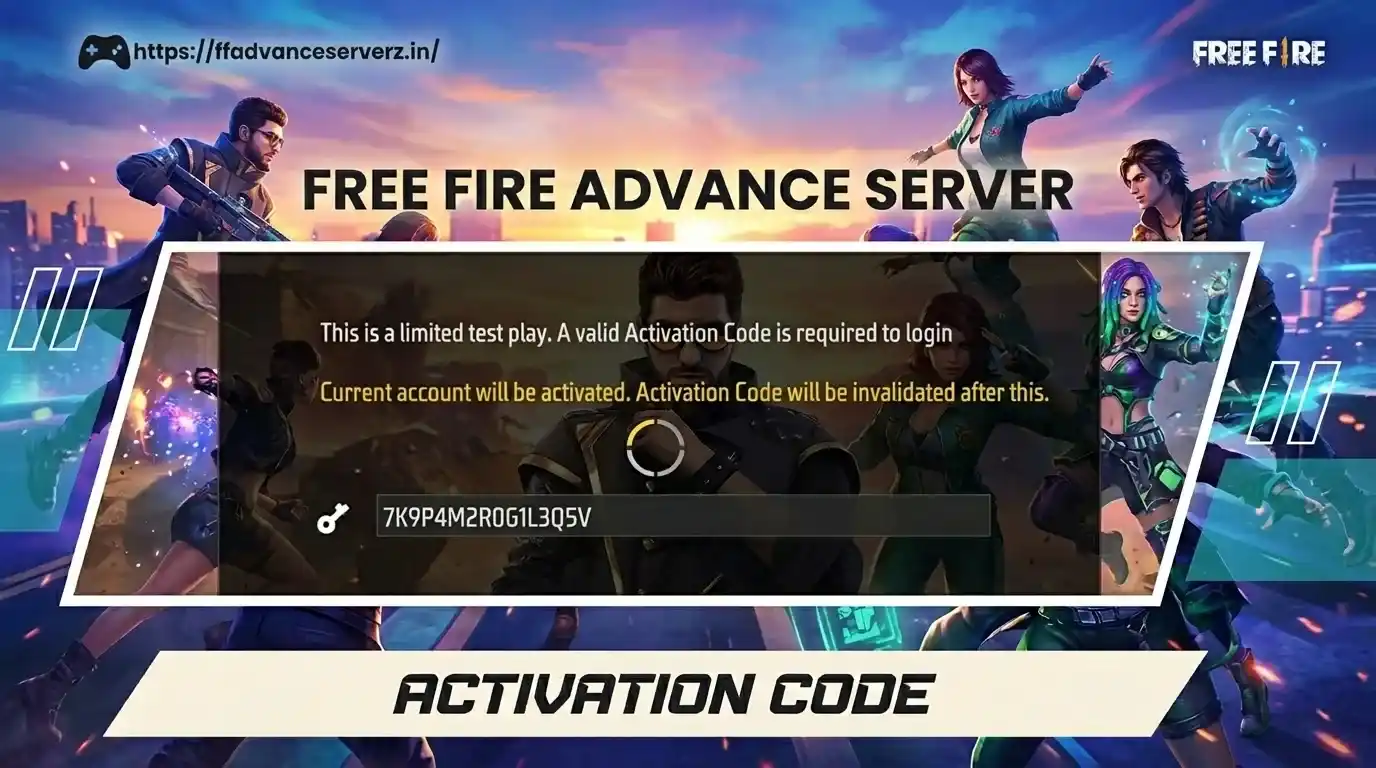
How to Get an FF Advance Server Activation Code
Register through Garena's Advance Server portal. If you are selected and the cycle requires a code, follow the activation instructions provided with your testing access.
Not every application receives approval or an activation code.
When to Use Your Activation Key
If the installed client asks for a Free Fire Advance Server activation key, enter the code issued for your testing access.
Follow the account instructions supplied with it and keep the code private.
Registration Checklist
Before submitting your application, check the following:
- The registration period is open.
- You are using a supported account connected to Free Fire.
- Your requested registration details are correct.
- You can return to the portal to check your access status.
- You have reviewed the testing dates and access instructions.
Applying before registration closes avoids missing the deadline, but does not guarantee selection.
After You Receive a Code
Check that your APK matches the testing cycle covered by your access instructions.
Open the client during the testing window and complete the required login steps.
Enter the code carefully when prompted.
Keep your activation details private rather than posting them publicly.
Can Activation Code Lists or Generators Give You Access?
A public Free Fire Advance Server activation code list does not guarantee valid access.
A listed code may not work for your application or the testing cycle you want to join.
Code generators cannot approve your account on Garena's servers. Use the activation instructions provided through the official registration process.
Activation Code Not Working?
Check your access details before reinstalling the client.
Confirm that the testing window is open, your APK matches the cycle and you are following the account instructions supplied with your access. Check the code for typing mistakes.
If the app opens but rejects your access, check your approval status on the portal. Reinstalling the APK does not resolve missing account authorization.
What Is the FF Advance Server?
The FF Advance Server is a temporary Free Fire testing environment used to evaluate features before major updates.
The Garena Free Fire Advance Server gives selected players an early look at experimental content in a separate test client.
Testing helps identify problems before a wider release.
Players can try unfinished features and report issues that appear during real matches.
The test build may contain bugs, unfinished menus, unusual balance and temporary mechanics. It can be less stable than the regular game.
What Does FF Advance Server OB55 Mean?
FF Advance Server OB55 refers to the testing build covered in this guide.
The update sections describe character adjustments, weapon tests, events, interface changes and other experimental content associated with that build.
Treat these details as testing information. A feature shown in the Advance Server may change before it appears in the main game.
Why Does Garena Use an Advance Server?
Real matches can reveal problems that are difficult to identify during internal testing.
A weapon or character skill may behave differently when players combine it with other abilities and strategies.
Testing with a limited group helps Garena evaluate those interactions before a public release.
Bug reports can highlight crashes, broken interactions, visual issues and gameplay balance problems.
Player feedback gives developers more information, while Garena decides which changes reach the main game.
Are Advance Server Features Final?
No. Features available in the test client are still being evaluated. Their appearance in a testing build does not guarantee inclusion in the global update.
Character abilities, weapon statistics, events and other mechanics may be adjusted, delayed or removed before release.
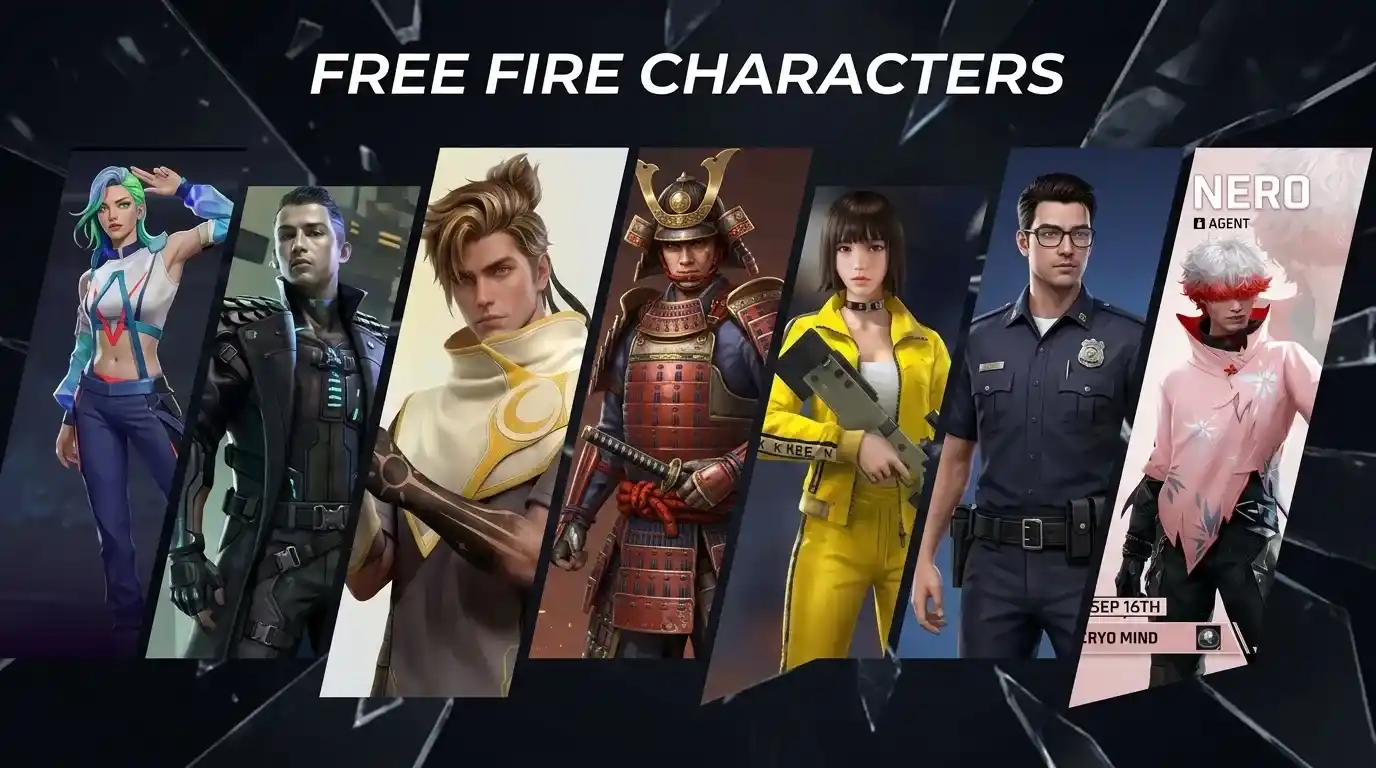
Free Fire Advance Server OB55 Features
This overview covers experimental features described for OB55, rather than confirmed global patch notes.
The changes covered include character abilities, weapon tests, bot behaviour, outfit search and event content.
Kenta, Wukong, Nero and Ryden feature in the character overview, alongside Seagull, EVO3, M7 and RPK weapon details.
Availability and final implementation may differ from the testing build.
Kenta Ability Rework
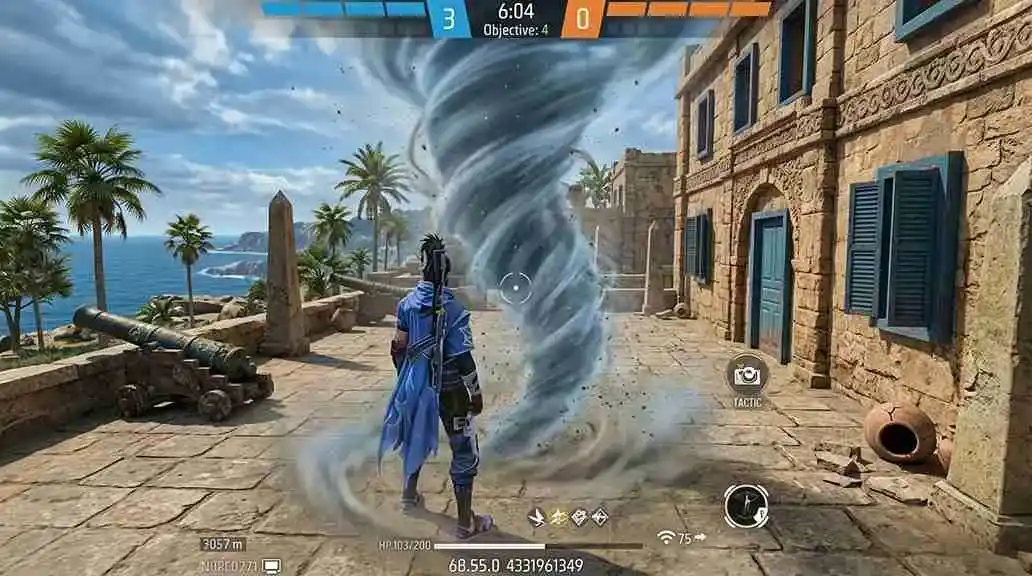
The Kenta rework described for this build changes how his ability supports movement and positioning.
The experimental skill creates a moving tornado that affects enemies along its path. Using the ability again moves Kenta toward it.
This introduces a movement option alongside the ability's combat effects.
Its usefulness depends on how the movement mechanic and ability effects are balanced.
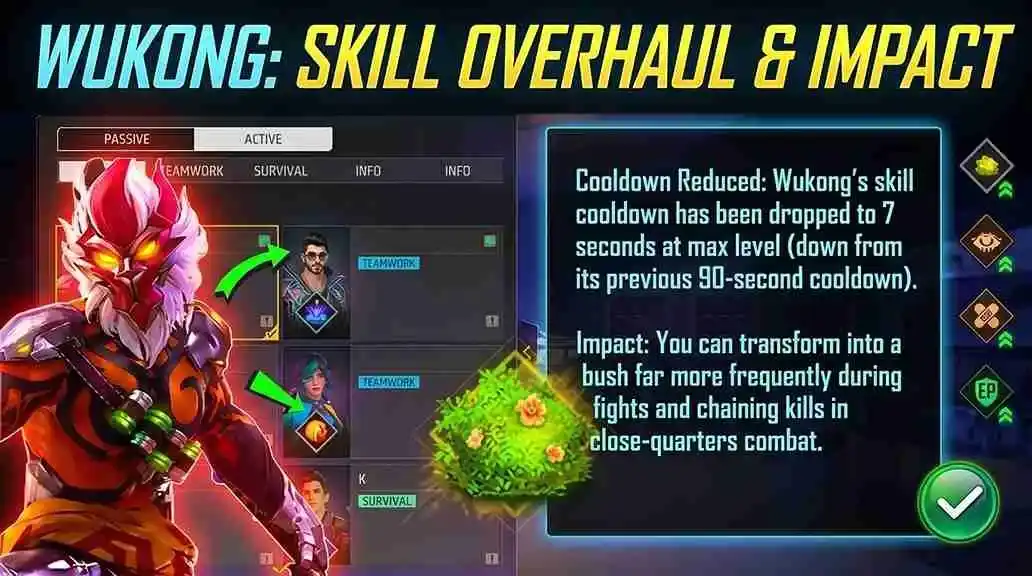
Wukong Cooldown Changes
The Wukong changes covered here focus on ability cooldown.
Cooldown adjustments affect how often players can use the skill across repeated engagements.
Exact values should be checked against the relevant build or final patch notes.
Nero Range Adjustments
The Nero adjustments described for this build concern the ability's effective range and area.
Range changes can influence positioning around buildings and during close encounters.
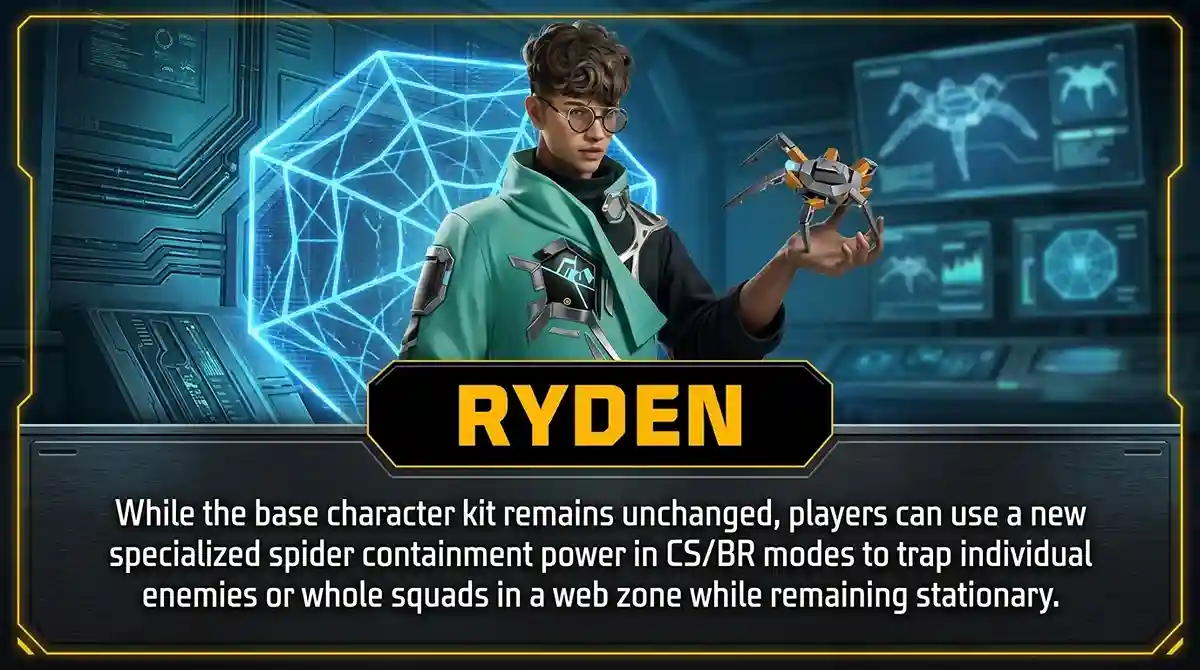
Ryden Ability Changes
Ryden's spider ability is covered with range and cooldown adjustments.
These affect how far the skill reaches and how frequently it is available.
Compare the relevant build values before drawing conclusions about character combinations.
Weapons Covered in the OB55 Overview
Weapon descriptions below cover experimental behaviour, not final release statistics.
The overview includes four weapons with different combat roles.
| Weapon | Type | Combat Focus |
|---|---|---|
| Seagull | Sniper | Long-range combat and disruption |
| EVO3 | SMG | Close-range encounters |
| M7 | Experimental weapon | Controlled combat performance |
| RPK | Machine gun | Sustained fire |
Seagull Sniper
The Seagull is described as a long-range weapon with a disruptive effect when a shot connects.
That effect is part of its experimental behaviour and may influence how opponents respond after being hit.
Handling and attachment support are also covered in the testing description.
Comparisons with the AWM require verified damage, handling and ability details from the same build.
EVO3
The EVO3 is described as an SMG for close-range combat.
Its practical performance depends on fire rate, recoil, movement and damage together.
Its place among existing weapons will depend on the final balance.
M7
The M7 is included as another experimental weapon.
The supplied overview describes a controlled combat role rather than close-range SMG pressure.
Its classification, handling and statistics need confirmation from the relevant build.
RPK
The RPK is described as a sustained-fire option.
Recoil, damage, magazine behaviour and mobility determine how effectively it can maintain pressure.
Bot Behaviour Changes
Bot behaviour affects how predictable some encounters feel.
The changes described here concern movement and interaction with the match environment.
These include using vehicles, Gloo Walls and cover, alongside more varied reactions to movement and the safe zone.
Such adjustments could make bot encounters less repetitive.
Outfit Search
Finding a particular cosmetic can take time in a large collection.
The outfit search feature described for this build helps players locate items without scrolling through the entire collection.
It focuses on collection navigation rather than combat balance.
Event Content and Experimental Interactions
Event visuals and temporary interactions are separate from permanent gameplay changes.
The following items are included in the OB55 overview.
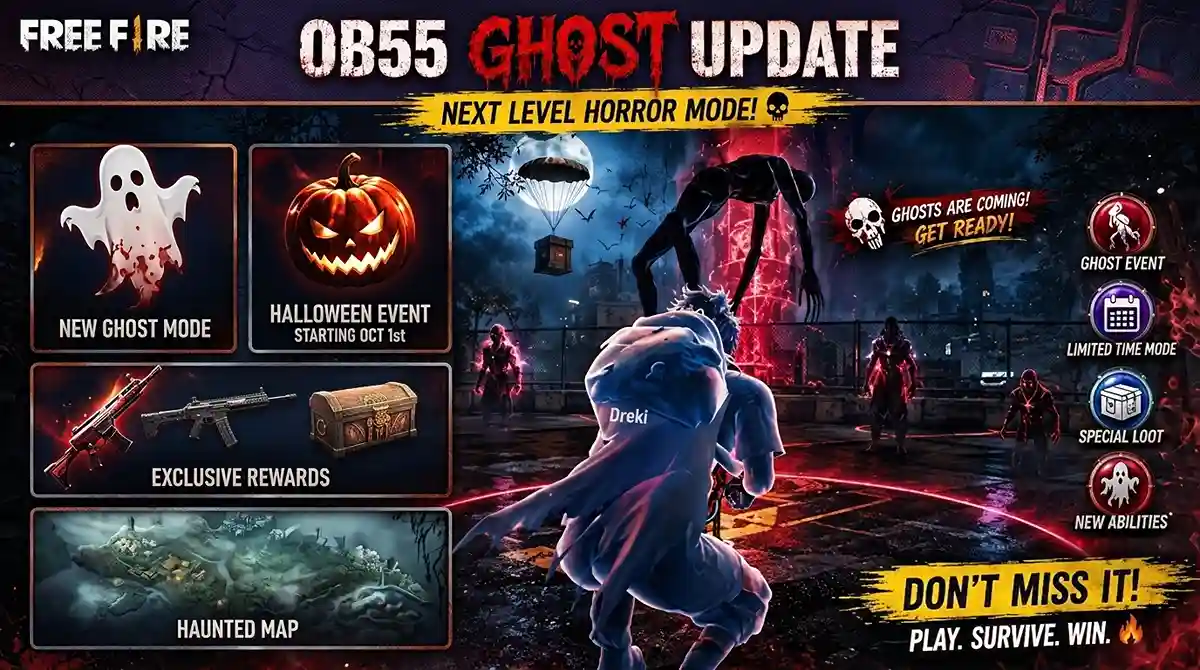
Halloween-Themed Content
The event description includes darker visuals, hidden items and Halloween-inspired environmental changes.
Testing appearances do not confirm release dates or availability in every region.
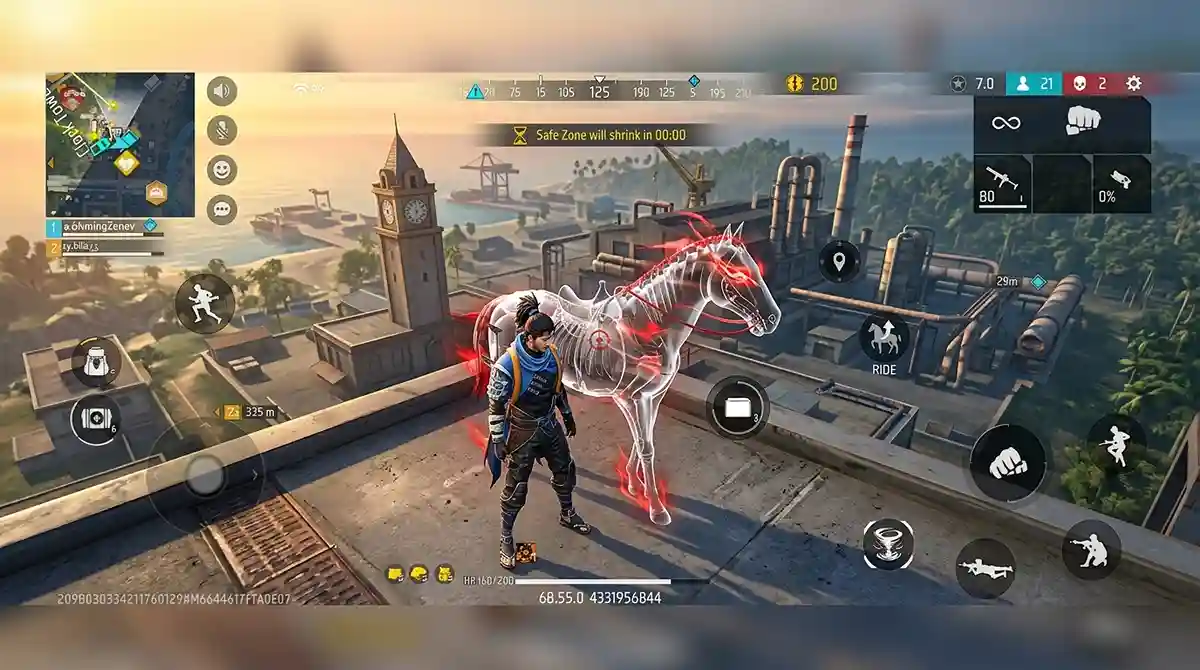
Horse and Environment Changes
This overview also includes a horse-related interaction and changes to surrounding environmental elements.
These details do not establish a permanent new vehicle system.
Trolley Movement
The described trolley interaction allows a character to move and jump while seated in a small trolley-style object.
Its intended role beyond testing is not established here.
It may remain temporary event content or be removed.
Halloween Booyah Animation
The overview includes a themed victory animation.
The described Booyah presentation uses darker effects and Halloween visuals at the end of a match.
This is a visual event change rather than a combat mechanic.
Desert Eagle Battle Royale Experiment
The Desert Eagle is also mentioned in a Battle Royale testing scenario.
That description should not be treated as confirmation of a permanent Battle Royale change.
How to Interpret These OB55 Changes
The Free Fire Advance Server overview covers combat, navigation and event content.
Character adjustments may affect ability combinations, while weapon changes may influence loadout choices.
Other features focus on everyday usability.
Bot behaviour affects encounters, outfit search helps collection navigation and event visuals change presentation.
These features serve different purposes and should be assessed separately.
Their inclusion in a testing overview does not guarantee release.
Use Garena's final announcements and patch notes to confirm what reaches the main game.
Free Fire Advance Server vs Global Free Fire
The two versions serve different purposes: testing upcoming content and playing the released game.
The FF Advance Server is a temporary testing environment with limited access. Global Free Fire is the public version used for regular matches and account progression.
Features available in the test client may be adjusted or removed before the global release.
| Feature | Advance Server | Global Free Fire |
|---|---|---|
| Main Purpose | Test upcoming content | Regular gameplay |
| Access | Limited to selected testers | Public release |
| Testing Registration | Application required | No separate testing application |
| Experimental Content | Unfinished features under evaluation | Officially released content |
| Activation Code | May be required for testing access | No Advance Server activation code required |
| Upcoming Features | Some available for early testing | Available when officially released |
| Stability | Bugs and unfinished mechanics are expected | Build intended for regular play |
| Progress | Test progress may be temporary | Regular account progression |
| Bug Testing | A main reason for participation | Gameplay is the main focus |
| Feedback & Bug Reports | Help evaluate experimental features | Concern the released game |
| Feature Status | Subject to change or removal before release | Released, with changes possible in later updates |
Choose global Free Fire for regular matches and normal account progression.
Apply for Advance Server access if you want to test unfinished features and provide feedback.
Who Should Use the Advance Server?
Players who may find the testing build useful include:
- Early-access players interested in exploring upcoming features.
- Testers who want to identify bugs and submit useful reports.
- Competitive players examining possible weapon and character adjustments.
- Content creators explaining test-build changes while distinguishing them from confirmed updates.
- Experienced players comfortable with bugs, temporary progress and unfinished mechanics.
Free Fire MAX and Advance Server Access
Players looking for a Free Fire MAX Advance Server download need to follow the registration and download instructions for the separate testing client.
Installing Free Fire MAX does not grant testing access.
Free Fire MAX is part of the regular Free Fire experience. The Advance Server provides a temporary environment for testing upcoming content.
To apply, use a supported account and complete registration during the open period.
Check the requirements shown for that cycle before downloading the APK.
Who Can Apply for the FF Advance Server?
Check the account, registration and device requirements listed for the testing cycle you want to join.
Before applying, make sure you have:
- An active Free Fire account
- Access to a supported login method
- A compatible Android device
- Space for installation and game resources
- A reliable internet connection
- An opportunity to register before the deadline
Account and Access Checks
Use the following checks to prepare your application and confirm that you can use any testing access granted to you.
Follow the instructions attached to your registration:
Account Login
Make sure you can sign in with the supported account you intend to use for registration.
Registration Period
Complete FF Advance Server registration while applications are open. The registration deadline and playable testing window may differ.
Approval and Activation
Check your approval status. If your access instructions require an activation code, keep it available when opening the client.
Android Compatibility
Check that your phone and Android version support the Advance Server APK offered for that test.
Installation Space
Reserve storage for the APK, installed files, additional resources and test updates.
Device and Storage Requirements
Compatibility and storage needs can change between testing builds. Check the requirements for the APK you plan to install.
The download size does not represent the total space needed after installation.
The OB55 APK covered in this guide is around 900 MB. Additional resources and installation files can require more space, so keep several gigabytes available.
Older or less powerful phones may have more difficulty running an unfinished build.
Before Installing
Prepare your device before downloading and opening the test client:
- Check that your phone supports the test build
- Use a stable internet connection
- Reserve space for installation and additional resources
- Keep access to your registration account
- Check Android version compatibility
- Have enough battery or a charger available
Close unnecessary background apps before launching the client and keep your device software updated.
Can You Install the Advance Server APK on iPhone?
An Android APK cannot be installed directly on an iPhone.
Check official platform requirements for each testing cycle. APK conversion tools do not turn the Android client into a supported iOS release.
Reporting Advance Server Bugs
A useful bug report explains how to reproduce the problem.
Describe what you were doing, where the issue occurred and the steps immediately before it. Explain what happened instead of only saying that a feature is broken.
Include screenshots or a recording when the reporting system supports attachments.
Protecting Your Account and Testing Access
Advance Server access is free. Paying a seller does not guarantee selection.
Follow official registration instructions, use the legitimate client and keep your account details private.
Avoid These Advance Server Risks
- Modified Advance Server APKs
- Fake activation code generators
- Sellers promising guaranteed entry
- Unofficial websites requesting your account password
- Fake update files
- Apps claiming to bypass account approval
- Tools promising unlimited activation codes
Replacing or modifying the APK does not grant official testing permission to an unapproved account.
FF Advance Server Problems and Checks
The APK Will Not Install
Check available storage and device compatibility first.
Confirm that the download finished and that Android allows installation from the browser or file manager you used.
If an older test client is installed, check the official installation instructions before removing or replacing it.
I Registered but Cannot Enter
Check whether your application received testing access.
A submitted registration does not guarantee selection. Reinstalling the app cannot change an unapproved account's permissions.
Review your status and access instructions on the registration portal.
FF Advance Server Login Is Not Working
Use the supported account associated with your registration.
Check that the testing window is open. Access to the test environment may be unavailable after the server closes.
My Activation Code Is Invalid
Check the code for typing mistakes.
Follow the account instructions supplied with your FF Advance Server activation code and confirm that it applies to the relevant test.
Do not assume that a code from an older cycle remains usable.
The Server Says It Is Closed
Check the official testing dates and server notices.
The testing environment is temporary. Keeping the app installed does not extend the testing window.
Follow official announcements for the next registration period.
The Download Keeps Stopping
Check your internet connection and free storage.
An interrupted connection or insufficient space can prevent the APK or additional resources from downloading completely.
The Game Crashes or Has Bugs
Test builds can be less stable than the public game.
Restart the app or device to check for a temporary issue. If the problem repeats, record the steps and submit a bug report through the available reporting system.
Pros and Cons of Free Fire Advance Server
The Free Fire Advance Server offers a preview of experimental content, alongside limited access, temporary progress and possible technical problems.
Pros
- Explore upcoming features before release
- Try experimental weapons and character abilities
- Assess possible gameplay and balance changes
- Report bugs and provide feedback
Cons
- Registration does not guarantee selection
- An activation code may be required
- Bugs, crashes and performance issues can occur
- Test progress may be temporary
- Features may change or never reach the global release
- Access ends when the testing window closes
Apply if you enjoy exploring unfinished content and sharing useful feedback.
Expect temporary access and changes throughout testing.
Choose the global version when regular gameplay and normal account progression are your priorities.
How a Free Fire Advance Server Update Works
A Free Fire Advance Server cycle generally moves from registration and account selection to testing and feedback.
The stages below explain the process. Registration, APK availability and server opening dates can differ between cycles.
Registration Opens
Garena opens applications for the testing cycle.
Players complete FF Advance Server registration through the official portal before the application deadline.
Testing Access Is Granted
Access depends on the requirements and available places for that test.
Applicants check their status and any activation instructions. Submitting an application does not guarantee selection.
The APK Becomes Available
The test client becomes available according to the cycle's download schedule.
Players download the Free Fire Advance Server APK offered for that test and follow the installation instructions.
The Testing Window Opens
Approved participants can enter when the server opens.
Testers complete the required login or activation steps before exploring the available content.
Players Test Features and Report Bugs
Real matches can reveal bugs, balance problems and unexpected interactions.
Participants report reproducible issues and provide feedback through the available reporting system.
Testing Ends
The temporary testing window closes.
Keeping the client installed does not extend access beyond the server's testing period.
Selected Features Reach the Public Update
Features approved for release may appear in a global update.
Garena may adjust, delay or remove experimental content, so the released version can differ from the test build.
Free Fire Advance Server FAQs
Answers about registration, APK downloads, activation codes, supported devices and the testing process.
What Is the Free Fire Advance Server?
The Free Fire Advance Server, also called the FF Advance Server, is Garena's temporary testing environment. Selected players use it to try experimental features and report problems before a public release.
Is Advance Server Access Free?
Yes. Official registration and participation are free. Access is limited, so paying a seller does not guarantee selection.
How Do I Download the FF Advance Server APK?
Follow the download instructions on Garena's Advance Server portal when the APK becomes available. Choose the build offered for the testing cycle you want to join.
Does Installing the APK Guarantee Entry?
No. The Free Fire Advance Server APK installs the client, but testing access depends on approval and any required activation steps.
How Do I Complete FF Advance Server Registration?
Open the official registration portal, sign in with a supported account and complete the requested details. Submit your application before registration closes.
Do I Need an Advance Server Activation Code?
Follow the access instructions for your testing cycle. If the client requires a code, use the activation details issued with your approved access.
Downloading the APK does not replace a required activation code.
Which Website Should I Use for Official Registration?
Use Garena's official Advance Server portal for registration and account access. This guide explains the process; it does not approve applications or issue activation codes.
How Do I Check Whether I Was Selected?
Return to the registration portal using the account associated with your application. Check its status and any access instructions provided there.
Which Account Should I Use to Log In?
Follow the FF Advance Server login instructions using the supported account associated with your registration.
Can I Use an APK From an Older Testing Cycle?
Use the build offered for the relevant test. An older APK may not work with a later cycle, and keeping it installed does not extend access after testing ends.
Where Can I Check Registration and Server Dates?
Check the official portal and Garena's announcements. Registration deadlines, download availability and playable server dates can differ.
Why Does the Server Say It Is Closed?
Check the testing schedule and official notices. Access is temporary, and the installed client cannot keep a completed testing window open.
Can an Activation Code Generator Give Me Access?
A generator cannot approve your account on Garena's servers. Avoid tools promising guaranteed access or unlimited activation codes.
Why Did I Register but Receive No Activation Code?
Registration does not guarantee selection. Check your application status and the cycle's access instructions rather than assuming that a missing code is an installation problem.
Does Test Progress Transfer to Global Free Fire?
Treat test progress as temporary unless Garena explicitly states otherwise.
The testing environment is separate from normal progression. Check any reward rules separately.
Can I Install the Advance Server APK on iPhone?
The APK covered here is an Android installation file and cannot be installed directly on an iPhone.
Check official platform requirements for each testing cycle.
Does Installing Free Fire MAX Grant Advance Server Access?
No. Free Fire MAX is part of the regular game experience. Advance Server participation requires a separate testing application and approved access.
Can Bug Reports Earn Rewards?
Rewards may be available for qualifying reports when Garena offers a reward program. Check the cycle's rules; submitting a report does not guarantee a reward.
Will Every Tested Feature Reach the Global Game?
No. Experimental features are still being evaluated.
They may be adjusted, delayed or removed before release. Check final announcements and patch notes for confirmation.
Should I Uninstall Regular Free Fire First?
Do not remove the regular game unless the installation instructions require it. The Advance Server uses a separate testing client.
Joining the Advance Server
The Free Fire Advance Server is for players interested in testing unfinished content and providing feedback.
Start by checking the registration period and submitting your application through the official portal.
Confirm your access status, download the relevant APK and follow any activation instructions.
Expect bugs, temporary progress and features that may change before release.
If a problem repeats, record the steps needed to reproduce it and submit a useful bug report.
Check official testing dates and device requirements before preparing for another cycle.
For additional guides, visit our Free Fire content section.